
We might be halfway through 2024 (whew!), but we’ll never stop working to improve your Insightly experience.
Check out some of the team’s favorite new platform updates across CRM, Marketing, Service, and AppConnect + learn a little more about what’s on the way.
(Spoiler Alert: AI is coming to Insightly!)
Kickstart the sales process by generating a new Lead straight from your inbox. All you need to do is CC or BCC Insightly and the system will generate a new Lead in the CRM if one doesn’t already exist. Once you’ve set this up, Insightly will automatically attach the email address to the newly created Lead.
And yes, it works for contacts and organizations, too. Access this feature under User Settings > Mailbox in Insightly.
Check the Help Center for an overview of User Settings in Insightly.
If you’re using both Insightly CRM and Insightly Marketing for marketing automation, you know the value of having all your data in one place. In fact, 76% of Insightly Marketing customers chose it over the competition for that exact reason.
Insightly’s CRM Connector lets you determine how data is synced between the two systems so you have complete control of the customer journey from marketing to sales and from Prospect to repeat customer without coding or 3rd party integration tools.
Within the Insightly Marketing System Settings you’ll see two new CRM Connector options:
When checked, empty or null values from Insightly Marketing Prospect records will be synced to the associated Contacts or Leads in Insightly CRM, overwriting them. By default, this setting is unchecked, so null values will not be synced to the CRM when Prospect records are updated in Insightly Marketing.
Enable this option to ensure that any changes you make to the label of the primary field will automatically carry over to the field labels of the secondary fields cloned from it. If this option is disabled, changes you make to the primary field label won’t be carried over to the secondary field labels.
Watch this video to learn more, or visit the Help Center for a list of CRM Connector Settings.
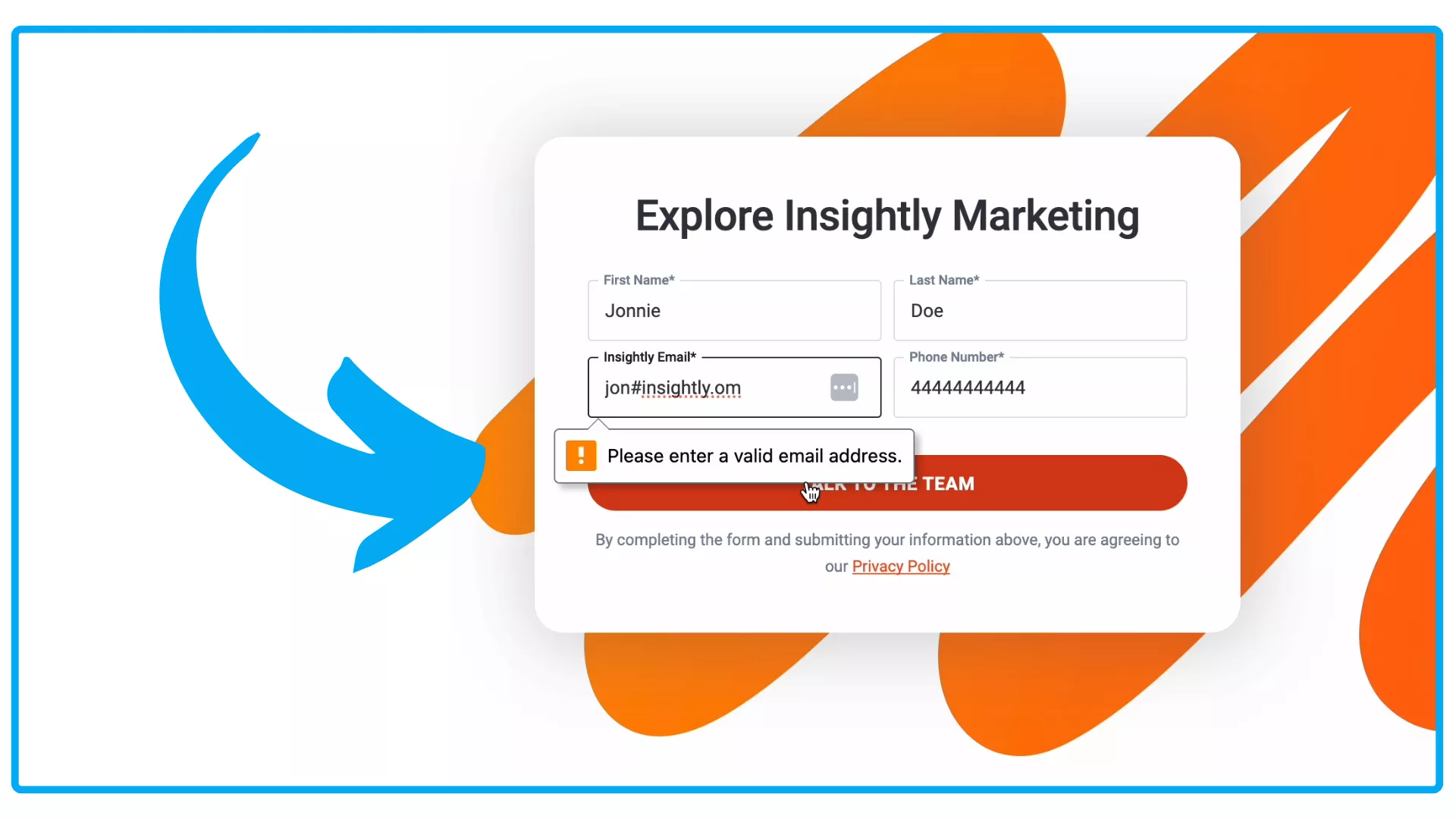
When you use Insightly Marketing Form Handlers to generate HTML forms, they now come with built-in validation logic to improve the quality of the data you capture.
Validation errors will appear for the following scenarios:
This logic will also help to prevent spam by preventing submissions in excess of five or more within a five minute window.
Curious about Insightly Marketing Form Handlers? Watch Insightly Insights to learn more. You can also check the Help Center for more information on this update.
The Audit Log stores all System updates and adjustments made by your team in Insightly Service. Now, when a public reply or internal note is added, edited, or deleted, those changes will be tracked in the Audit Log tab. You’ll also see when public replies are converted to internal notes (and vice versa), so you’ll get the complete picture on every issue.
To learn more about Insightly Service Tickets and the Audit Log visit the Help Center.
Insightly Service lets you build and manage a Customer Portal Website where you can host a knowledgebase for your customers. You can also build your own user community to host and moderate conversations around your brand.
You’ll see three new portal reports in Insightly Service designed to give you better insight on how your customers engage with the Customer Portal (so you can make the experience even more amazing).
The Portal Contact Article View Report can be used to review details regarding articles that each portal contact has viewed. By default, the report will show you which articles were viewed by whom and on what date.
This report will show you the names and email addresses of those contacts and when they signed up.
This report provides an overview of which contacts liked or disliked content in your Customer Portal. You’ll see exactly which articles they voted on and when.
You can also pull in custom fields and organization data for a more complete picture on any of these new reports. Consider sharing what you learn with your sales or marketing teams to enhance their outreach.
Check the help center to learn more about Insightly Service Portal Reports.
Insightly AppConnect makes your data even more powerful by connecting Insightly to every application you use to run your business. With smart use of AppConnect, you can build custom recipes that save time and supercharge your business processes.
Contract uploaded, what’s next? Now you can trigger an AppConnect recipe when new files are attached to records in Insightly. Based on the needs of your business, this unlocks countless new ways to streamline operations or automate steps in your ideal customer journey.
Potential next steps with AppConnect:
Need some inspiration? Check out the various integrations available with AppConnect.

Insightly CEO Anthony Smith delivered the full rundown on recent AI trends and the place AI has in the Insightly product vision. Watch the recording to learn:
Thanks for checking out this Insightly Product Spotlight.
Additional Resources