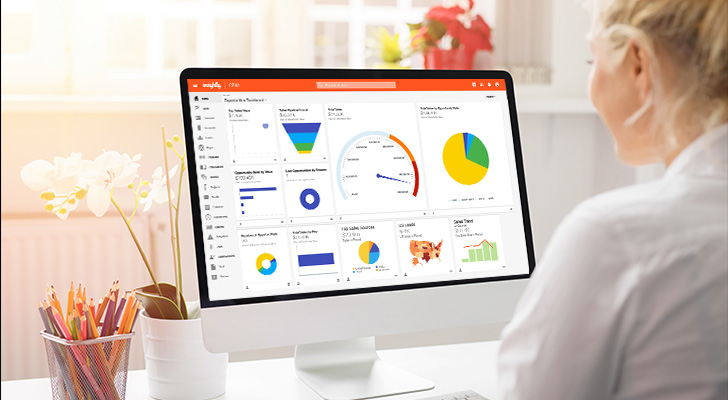
AI isn’t just a buzzword in the CRM space anymore. It’s already built into the CRM platforms your sales, marketing, and service teams actually use.
But the big question about AI in CRM now is this:
What can you actually do with it?
Are AI CRM features just glorified versions of basic ChatGPT convos that know a little bit more about you, but still ultimately aren’t that helpful? Or are there actually brand new use cases that weren’t possible before?
And at the same time… do you need to be a full stack AI developer (maybe not a thing but it sounds smart) just to get the most out of the AI features in your CRM?
This guide covers exactly that. We’ll share nine genuinely practical use cases you can implement today, and we’ll take an honest look at the best AI CRMs available right now.
Let’s do it.
Key takeaways
- AI in CRM means practical automation — it analyzes your data, spots patterns you’d miss, and handles busywork so your team can focus on high-leverage work instead of logging activities.
- AI will help your team move faster, not replace them — sales leaders get instant pipeline visibility, reps stop manually logging activities, RevOps maintains clean data without chasing updates, and enablement teams train new hires faster with conversational guidance.
- The best AI CRMs today include Insightly, HubSpot, Salesforce, Zoho, and Pipedrive — each has its own strengths like marketing automation, enterprise customization, budget-friendly features, or simple pipeline management.
- Insightly’s Copilot in particular makes CRM interactions conversational — you can ask questions in plain language and get instant answers, draft emails using CRM context, handle record updates without clicking through endless dashboards or memorizing filter logic, and so on.
The basics of AI in CRM
Let’s start with the fundamentals. What does AI actually look like inside your CRM, what makes it different from traditional automation, and what can AI actually do?
What is AI in CRM?
AI in CRM means artificial intelligence analyzing your data, automating processes, and improving customer interactions.
CRM systems started as contact databases. Then they became workflow tools. Now? AI-powered CRMs act like sales assistants—surfacing insights, drafting emails, and answering questions in plain language.
CRM automation vs CRM AI
Think of the difference between automation and AI in your CRM like this:
- Traditional automation follows clear trigger-based rules you set in advance.
- AI-driven features spot patterns and take actions you didn’t pre-program.
One uses if-then logic, the other uses natural language processing and predictive models to actually learn from your data.
The goal of AI in your CRM is to eliminate busywork, so your team can focus on relationships and strategy. Plus, when AI makes your CRM easier to use, adoption goes up—which means you actually get ROI from the platform you’re paying for.
What can AI in CRM actually do?
The honest answer?
A lot more than it could two years ago, but still not quite as much as old-school sci-fi movies may have you thinking.
AI in CRM isn’t magic.
It’s not going to replace your sales team or make strategic decisions for you. But it will handle the tedious stuff that keeps your team buried in busywork instead of actually selling.
Here’s a helpful breakdown of what’s real, what’s still improving, and what’s coming next:
Now let’s get specific about real use cases that actually work today.
How to use AI in your CRM (and why you absolutely should)
Again, when AI makes your CRM easier to use, adoption climbs. When adoption climbs, your teams actually tap into features they’d normally ignore. That’s where the real efficiency gains happen.
The impact shows up differently across functions, but the pattern’s the same: AI removes the busywork that keeps people out of the platform in the first place.
Here’s where it makes the biggest difference:
- Sales leaders — Get instant pipeline visibility without digging through reports. Forecast accuracy improves because AI spots patterns humans miss. Track team performance and coach reps using real-time insights instead of stale spreadsheets.
- Sales reps — Stop manually logging calls and emails. AI drafts follow-ups using conversation history, prepares you for meetings in seconds, and flags which deals need attention now. More time selling, less time updating records.
- Revenue enablement teams — Clean data without manual cleanup. Build better processes when the CRM actually reflects reality. Train new hires faster when the platform guides them through workflows conversationally.
- Revenue operations — Maintain clean records at scale without chasing reps for updates. Trust your reports when data flows in automatically. Spot trends across the entire customer journey without building custom dashboards.
The biggest shift?
AI changes how you can interact with customer data every single day. Your sales processes become less about data entry and more about customer interactions.
Instead of your CRM acting as a tedious log book where you need to manually keep updated, it becomes a dynamic system that does the busywork for you so you can focus entirely on actually using the data at your disposal.
9 practical AI in CRM use cases
Alright, let’s get specific. These nine use cases show how businesses like yours can integrate AI into your CRM processes to save time, improve accuracy, and grow revenue.
1. Automate routine tasks like data entry and record updates
AI tools can capture call notes, update contact records, and enrich profiles without anyone touching a keyboard. That means fewer data entry errors and fresher CRM data for everyone on your team.
The real win?
Sales and service reps get back hours they’d otherwise spend logging activities.
And when you layer AI on top of CRM automation and workflow automation, those tools get smarter—learning which fields to populate, which records to update, and which tasks to automate tasks without you building every rule manually.
2. Draft and summarize emails with an AI sales assistant
AI-powered tools can use your CRM history (think past emails, meeting notes, deal context, etc.) and draft replies to emails in your inbox. And because it’s learning from past emails and context attached to a specific deal or contact, the replies will already have all the background info needed. That alone will make it far easier for the first draft to actually sound like you—not some way-too-giddy bot that’s trying to pretend it’s human (looking at you, ChatGPT).
No more staring at blank screens wondering how to respond, or dreading the 40 emails in your inbox you know you have to write manual responses to before the end of the day.
Beyond just drafting, AI CRM platforms can also summarize your email threads. Long email threads with dozens of nested replies, FWD’s and chaos get condensed into a few quick sentences so reps can prep for meetings in minutes instead of scrolling through months of back-and-forth.
The best AI CRMs (more on that shortly) make this kind of AI automation standard, not optional—keeping communication fast and accurate without requiring manual drafting every single time.
3. Prioritize leads with predictive scoring
AI-driven lead scoring can analyze behavior, demographics, and historical conversion data to figure out which leads are actually worth chasing. It learns what “ready to buy” looks like based on your past wins.
That means your sales reps stop burning time on tire-kickers and focus their energy where it’ll actually move sales pipeline forward. Conversion rates climb, wasted effort drops, and when you pair predictive insights with CRM automation—hot leads get routed to the right rep automatically.
4. Better sales forecasting with predictive analytics
AI-powered predictive analytics features can look at past deals, seasonality patterns, and external market signals to model what’s actually likely to close by a certain date. Not what you hope will close—but what the data says is likely to close.
That means leadership can plan hiring, inventory, and budgets with real confidence instead of crossing fingers and updating spreadsheets.
Over time, the AI features can learn from your CRM data to predict future sales trends and forecast customer behavior far more accurately than just “going with your gut” could dream of. Instead of your sales forecasting being pure guesswork, it becomes something you can actually trust.
5. Analyze customer sentiment across emails, surveys, and customer experiences
LLMs can read between the lines. Your AI copilot can use natural language processing to gauge tone and sentiment in customer feedback, meaning it’s analyzing not just what people say, but how they say it.
That gives your team a real-time picture of customer satisfaction without having to comb through every single email and survey response manually. When AI spots negative sentiment patterns, you can act before frustration turns into churn.
AI tools help customer sentiment analysis become a proactive process rather than something reactive. Instead of just “learning a lesson” after a customer churns that can hopefully prevent others from churning in the future—you might be able to right the ship before any churn happens to begin with.
6. Respond instantly to customer interactions with AI chatbots
AI-powered chatbots can field customer inquiries around the clock—password resets, order status checks, basic troubleshooting. The stuff that doesn’t need human judgment. This can free your customer success team to tackle complex cases that actually require thinking.
Just make sure you don’t go overboard from the jump and delegate too many support tasks to an AI support system. There’ve already been plenty of stories where (pretty big name) companies tried to go all-in on AI support and paid the customer-frustration price.
Still, the payoff is clear:
Customers get instant answers instead of waiting in queue, your support team stays focused on the areas where they add real value, all while the bot learns from every interaction to enhance customer service over time.
7. Recommend upsells and cross-sells
Purchase history and customer behavior patterns tell a story—if you know how to read them. AI does, 24/7.
For marketing teams, that means surfacing the right offer at the right moment, like the upgrade when usage suggests a customer has outgrown their current plan. Timing matters, and AI nails it.
And for sales reps, good AI functionality can do more than just identify the opportunities—it can handle the entire workflow for you:
- Flags when the timing’s right to bring up an upsell or cross-sell based on customer needs and behavior
- Helps draft the outreach email using context from past interactions
- Monitors for replies and measures sentiment when they come through
- Keeps contact records and deal probabilities updating automatically throughout
That’s the difference between spray-and-pray upselling and actually meeting customer needs when they’re ready to buy more.
8. Search records using natural language
You shouldn’t need to know exact field names, filter logic, or click through 10 layers of a report to find what you need. With AI, you can just ask. Natural language search lets you query your CRM the same way you’d ask a coworker:
- “Show me all deals closing this quarter.”
- “Who hasn’t responded to outreach in the last two weeks?”
- “Pull up contacts from the healthcare vertical with open opportunities.”
- “What’s my pipeline value for Q1?”
The AI engine interprets what you mean, pulls the right records, and surfaces them instantly.
No dropdown menus, layered dashboards, and complex regex filtering required. CRM platforms with advanced AI capabilities make this AI technology accessible to everyone—not just the power users who’ve memorized every filter combination or report name.
9. Cleaner data management with AI
Every AI use case we’ve covered above depends on one thing:
Accurate customer data.
Dirty data breaks everything. Duplicate records split customer history, missing fields ruin segmentation, inconsistent entries make data analysis borderline worthless—it all ties back to clean data.
AI can spot (and clean up) these problems automatically.
It can detect duplicates, flag gaps, catch inconsistencies across records, and so on. Then it fixes them automatically by merging related entries, linking contacts to the proper accounts, organizing customer data into a single view, and more.
Yes, data management isn’t exactly the flashiest AI use case of the bunch, but it’s the foundation that makes predictive scoring actually predict, sentiment analysis actually analyze, and forecasting actually forecast.
What to look for in an AI-powered CRM
You’ve seen what AI can do. Now comes the harder part—choosing a platform that actually delivers on those capabilities without falling apart at the fundamentals.
Consider these non-negotiables when choosing an AI CRM.
Core CRM capabilities must still come first
AI features don’t matter if the CRM software underneath them is broken. So before you get excited about conversational search or predictive scoring, make sure the platform actually handles the basics:
- Contact management
- Account hierarchies
- Pipeline visibility
- Reporting that doesn’t require a data science degree
- Permissions that make sense
- Workflows that your team will actually use
And so on. We could go a mile deep here on how to choose the best CRM for your business, but we’ll spare you the novel for now. If you’re curious, check out our deep dive on choosing a CRM.
Recommended reading: How to choose a CRM: A simple 9-step process
Accessible AI features (not locked behind enterprise tiers)
Plenty of CRM vendors offer AI-powered features. The catch? They’re locked behind the most expensive enterprise pricing tiers that SMB teams can’t justify.
That’s not helpful.
Instead, look for AI CRM software that makes AI features actually accessible—not technically available but practically out of reach. If your team can’t afford the tier where AI lives, those features might as well not exist.
If you’re an SMB, choosing a CRM specifically built for SMBs that’s priced accordingly can be a great way to get access to AI features at a lower price point, even if they aren’t available on entry-level tiers.
Strong integrations and unified data
That data cleaning use case from earlier?
AI can’t fix what it can’t see.
If your CRM data lives in one system, marketing automation info in another, and support tickets in a third—your AI is making predictions based on a third of the story.
Instead, look for platforms with a strong set of integrations that’ll let you pull any critical external data into one unified view. This single source of truth is what’ll help AI functions actually function.
Fast onboarding and adoption
AI features only add value if your team actually uses them.
If your CRM takes months to implement and requires a PhD to navigate, adoption tanks (if it ever even existed to begin with). And when adoption is poor, you end up paying for features that sit untouched while everyone just defaults back to their spreadsheets or simply ignores the CRM entirely.
Look for a CRM that prioritizes speed—both in setup and for day-to-day use cases. An AI CRM can definitely help with this through conversational chat interfaces that make complex features more accessible too.
What are the best AI CRMs to consider?
So we know what we’re after in an AI CRM. Now let’s take a look at five of the top options on the market. We’ll cover what you get with each CRM, and who each tool is likely going to be best for—both in depth and with a quick summary table you can skim through.
The 5 best AI-powered CRMs at a glance
| CRM | Best for | Ideal users |
| Insightly | AI-powered CRM that’s easy to adopt and built for real business use | Growing SMBs that need powerful features without enterprise bloat |
| HubSpot | Marketing-driven CRM with AI for campaigns and automation | Teams focused on inbound marketing and content-led growth |
| Salesforce | Enterprise CRM with advanced predictive analytics and deep customization | Large organizations with complex processes and dedicated admin resources |
| Zoho CRM | Affordable AI features and workflow automation in one suite | Small to midsize businesses looking for flexibility on a budget |
| Pipedrive | Simple sales CRM with AI deal prioritization | Sales-led teams that want a focused, easy-to-use pipeline tool |
1. Insightly
Insightly’s core CRM foundation is solid—clean contact management, pipeline tracking, customizable workflows and automation that actually works, AppConnect with 2,000+ integrations, and more.
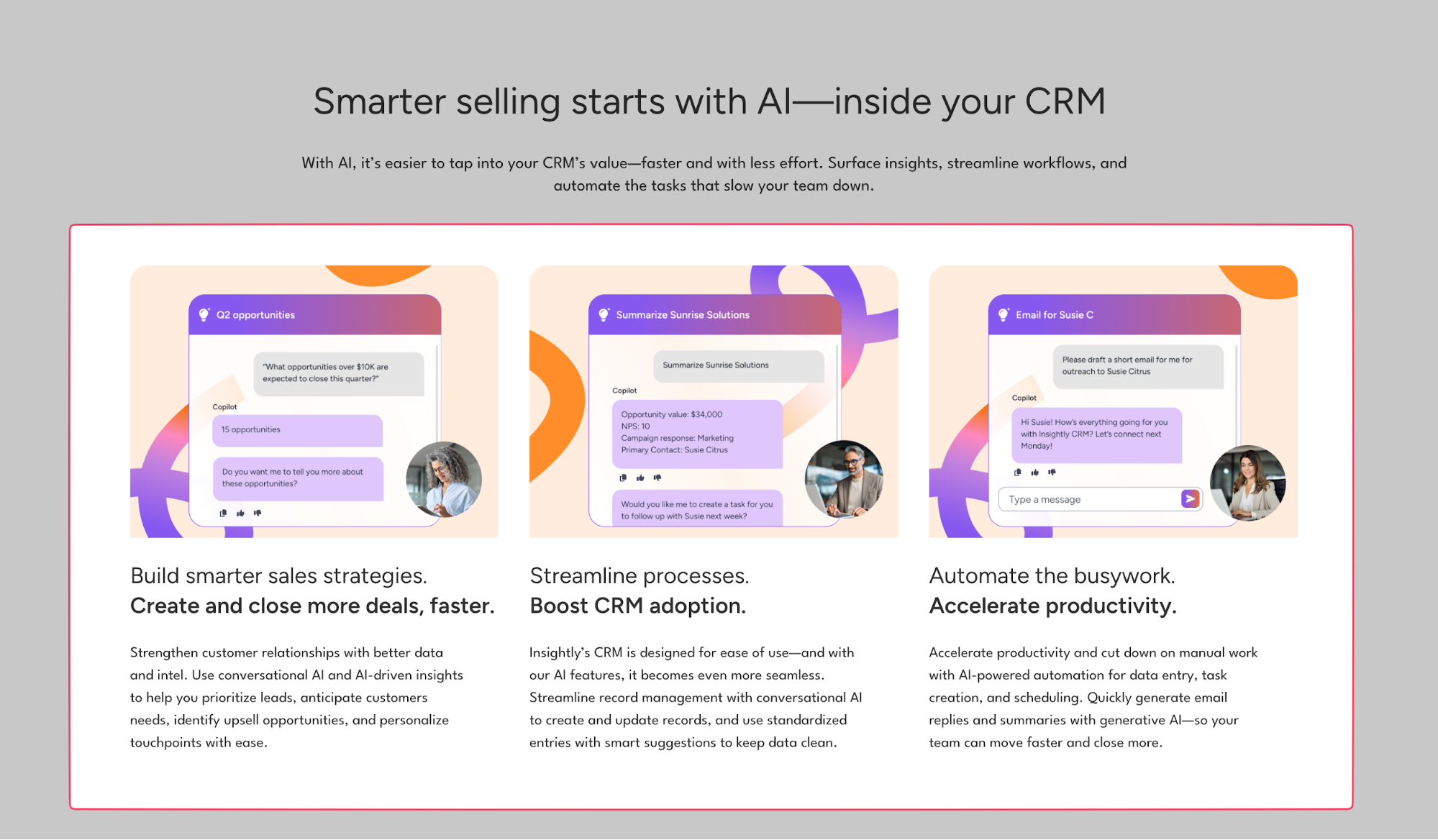
But Copilot is where things get even more interesting. It’s like a conversational sales assistant that handles the busywork holding your team back from actually selling.
What do you get with Insightly?
- AI email replies and summaries that use your CRM history to draft responses and condense long threads into prep-ready snapshots
- Conversational record lookup where you ask plain questions (“What’s my pipeline this quarter?”) instead of clicking through dashboards
- Human-verified workflows that double-check updates before applying them—so you stay in control while AI handles the tedious stuff
- Cross-role functionality that works for sales leaders checking pipeline health, reps prepping for calls, and RevOps cleaning data
- Plain-language prompts for hundreds of everyday tasks, making CRM interaction feel natural whether you’re logging deals, updating records, or planning next steps
Who is Insightly best for?
Insightly is the best CRM for mid-market teams who want their CRM software to actually get adopted.
If you need fast implementation (weeks, not months), accessible AI features that aren’t locked behind enterprise pricing, and a platform that reduces training time instead of requiring it—this is the best AI CRM option to explore. It’s perfect for RevOps leads and sales directors who are tired of fighting with bloated platforms or watching their team ignore the CRM entirely.
Side note:
Want to see how Insightly can work for your specific role or team? We’ve got you covered…
- Insightly for sales teams
- Insightly for marketing teams
- Insightly for operations teams
- Insightly for product teams
2. HubSpot
HubSpot started as a marketing platform and built backward into CRM. The AI-powered CRM systems follow that same pattern—strong on campaign automation, content generation, and inbound workflows. If you’re already in the ecosystem, the AI CRM solutions feel like natural extensions.

What do you get with HubSpot?
- AI content generation that drafts marketing campaigns, social posts, and email copy from templates
- Predictive lead scoring to surface prospects based on engagement patterns across your content
- Workflow automation connecting sales, marketing, and service activities across the platform
- ChatSpot assistant for conversational queries and report generation
Who is HubSpot best for?
Marketing-led teams already bought into HubSpot’s world. Works well if you’re prioritizing marketing campaigns over sales workflow simplicity and you’re comfortable with pricing that scales aggressively. Less ideal if you need fast implementation or want AI features without committing to the full HubSpot universe.
3. Salesforce
Salesforce’s Einstein AI is one of the more advanced options here, with predictive insights, deep customization, enterprise-grade automation. But that power comes with setup time typically measured in months, not weeks or days. At this stage, Salesforce is a CRM built for orgs that have dedicated admins and complex, multi-department data models.
What do you get with Salesforce?
- Einstein AI for forecasting, opportunity scoring, and predictive sales strategies
- Extensive customization options across departments, workflows, and integrations
- Advanced AI capabilities including natural language processing and automated insights
- Massive ecosystem of extensions and partner solutions through AppExchange
Who is Salesforce best for?
Enterprise organizations with internal admin teams and budget for long implementations. Best fit when you need complex customization, global scalability, and have resources to manage ongoing complexity. Mid-market teams looking for speed or simplicity will hit friction fast—both in setup time and total cost of ownership.
4. Zoho CRM
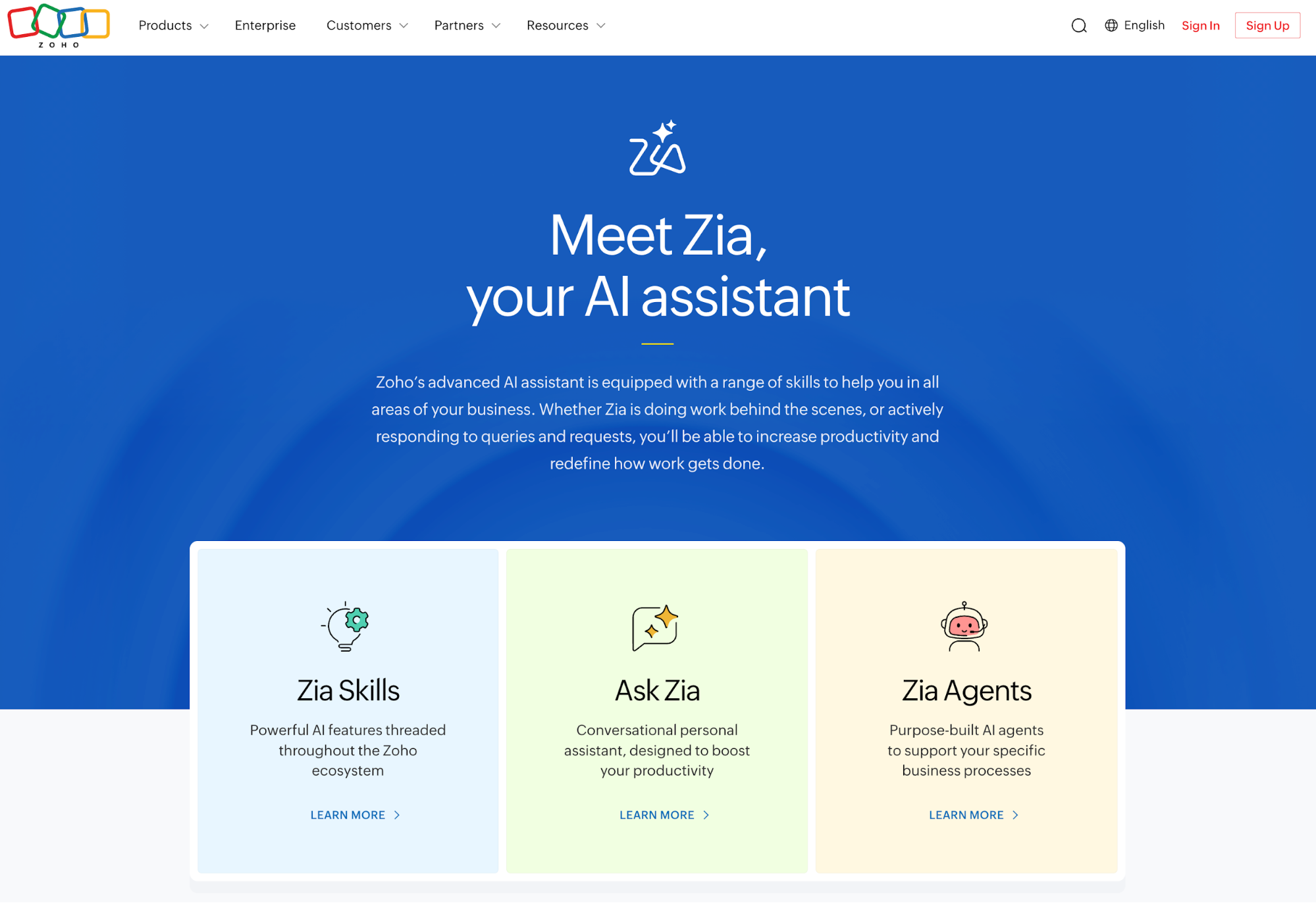
Zoho’s Zia AI brings predictive scoring, workflow suggestions, and conversational search into an affordable package. The AI CRM software is cost-effective compared to enterprise platforms, with broad functionality across email, analytics, and project management. But for some, the UX may feel less refined than the alternatives here.
What do you get with Zoho CRM?
- Zia AI for customer insights, lead scoring, and deal recommendations
- Conversational data queries and automated workflow prompts using AI-powered CRM tools
- Integrated suite connecting email, analytics, and collaboration tools
- Customization options without massive implementation costs
Who is Zoho CRM best for?
Small businesses and early-stage teams wanting AI functionality at manageable cost. Works well if you’re comfortable managing your own setup and don’t need deep integrations or polished UX. Teams with more advanced reporting needs or cross-department alignment may find it limiting as operations scale.
5. Pipedrive
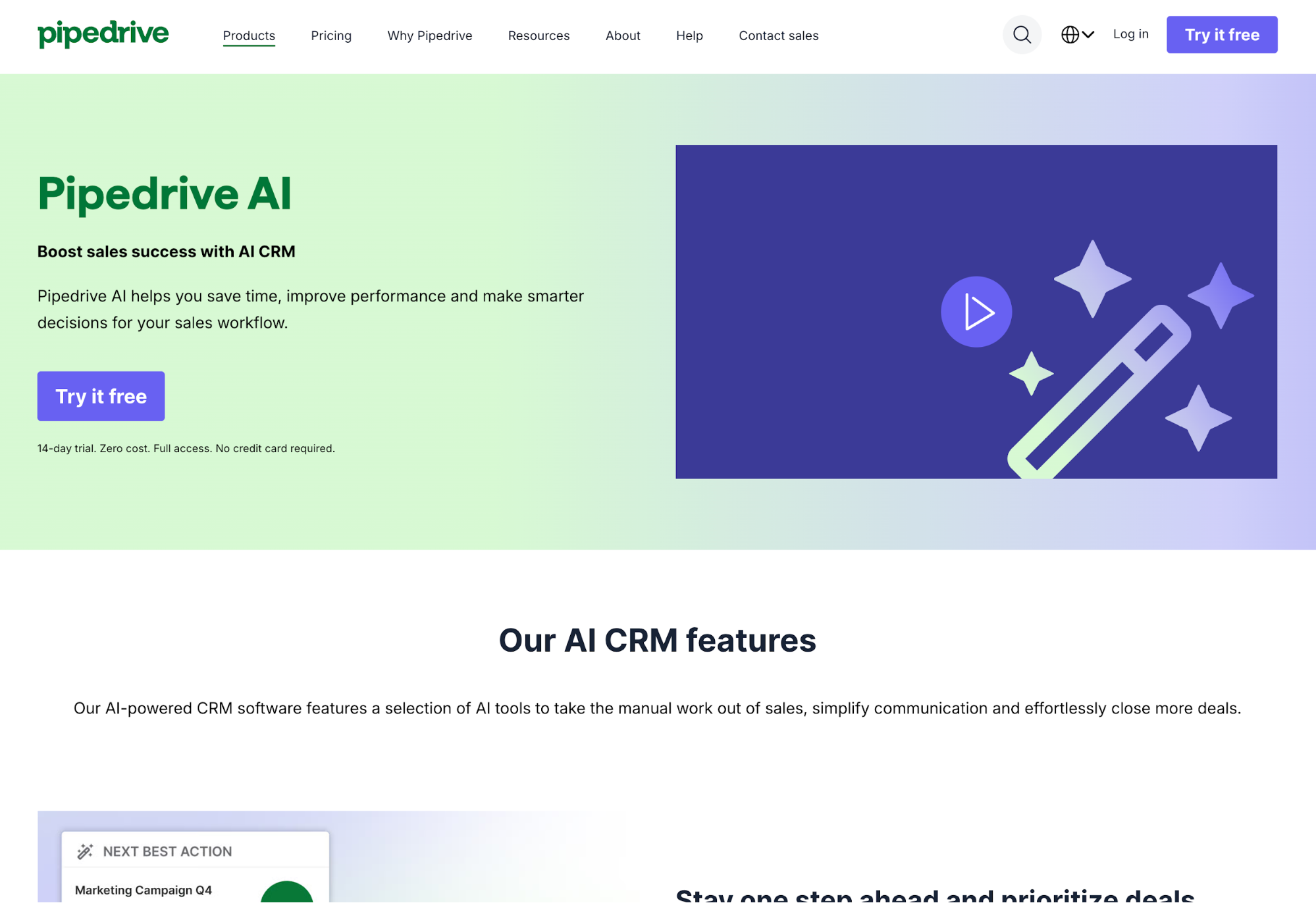
Pipedrive keeps it simple. Their AI features are focused on helping sales reps prioritize deals, analyze pipeline health, and automate follow-ups. The CRM software focuses mainly on sales management with a clean interface that’s easy to adopt. Of course, what you gain in simplicity, you lose in breadth.
What do you get with Pipedrive?
- AI-based deal prioritization showing which opportunities need attention now
- Pipeline visualization that makes revenue tracking and forecasting straightforward
- Workflow automation for repetitive sales tasks and follow-up sequences
- Email tracking built directly into deal records for context at a glance
Who is Pipedrive best for?
Small sales-led teams that value simplicity over comprehensive functionality. Pipedrive is great if you’re managing straightforward sales pipelines and don’t need deep marketing automation or service management. Companies needing unified data across departments or built-in marketing capabilities may outgrow it fairly quickly.
How to get started with the right AI CRM for your business
At this point, AI isn’t just pure hype or a fun way to turn your photos into probably-copyright-infringing-but-whos-to-say anime versions.
AI is helping businesses solve actual problems, specifically within their CRM:
- Adoption issues
- Forecasting blindness
- Hours lost logging data manually
… and so on.
If you’re still relying on a CRM that has zero AI functionality (or where the AI features that do exist are clearly just bolted on with little benefit for you)—it’s probably time for you to make a move.
The best AI-enabled CRM for you is ultimately going to depend on the size of your businesses, how your processes work, and what you care most about. If you think Insightly could be the one, we’d love for you to take the platform for a spin.
Try Insightly for free today or get a demo to see it all in action live.
More commonly asked questions about AI in CRM
Here are just a few of the questions we see coming up from time to time about AI in the CRM space.
How secure is AI in CRM systems?
AI shouldn’t change how your CRM stores data. It uses the same security, permissions, and encryption already built into the platform.
For example, AI features inside Insightly like Copilot work within your existing CRM environment—data never leaves your system or gets shared externally. Role-based access still applies, so users only see what they’re authorized to see. The goal is to make information easier to find and act on, not to expose new data or create new security risks.
What challenges should I expect when adopting AI in my CRM?
The biggest challenges are often more operational and organizational, not necessarily technical. Most teams run into a few common issues:
- Data quality problems — AI can only surface accurate insights if your CRM information is clean and complete
- Fragmented data across systems — Teams underestimate the need for unified data across sales, marketing, and service before turning AI features on
- Change management resistance — Users need to understand that AI simplifies their workflows instead of adding steps
- Starting too big — Teams try to implement everything at once instead of beginning with simple, high-impact use cases
Start with straightforward AI features like email summaries or conversational search before expanding into more advanced automation. Most early challenges disappear as your team builds confidence using AI for everyday CRM tasks.
Can AI replace sales or customer service teams?
Today, no. Inside your CRM, AI is meant to handle routine tasks more efficiently so your people can focus on relationships, strategy, and higher-leverage tasks.
For example, AI can summarize emails, update records, and identify next steps — the admin work that buries your team. But still, sales and service outcomes still depend on empathy, context, and judgment. Areas where real people can still outperform AI systems.
How can you measure the impact of AI in your CRM?
AI shows its value through time saved, better accuracy, and higher CRM adoption. Track measurable results like faster data entry, reduced manual logging, and improved forecast accuracy.
Look for signs your team spends more time selling and less time updating records or hunting for information. Over time, AI insights should lead to cleaner data, better pipeline visibility, and more confident decisions. The goal isn’t tracking “AI usage” as a metric — it’s seeing clear improvement in the business outcomes that already matter to you.
What is the future of AI in CRM?
CRM platforms are moving toward conversational and predictive systems that work the same way a sales assistant would. We believe natural language search and AI-driven recommendations will become standard ways to navigate and act on customer data.
Our stance is that the next phase of AI progression inside your CRM shouldn’t just be adding more and more and more AI features for the same of it—it should be all about making CRM interactions as natural as asking a question. Insightly’s Copilot is built around that vision — an AI experience that understands context, automates busywork, and makes CRM tools easier for everyone to use.