
How can you prove the ROI of a CRM investment?
Most teams know their customer relationship management platform should be “driving results” of some kind, but quantifying the actual return on investment?
That’s where things get murky.
If you’re trying to measure CRM ROI and justify the spend to stakeholders, you’re in the right place. In this article, we’ll cover a rough formula for calculating your a return on investment for a CRM implementation, the metrics that matter most, and a few practical ways to improve your ROI over time.
What is CRM ROI (and how do you calculate it)?
CRM ROI measures how much value your system delivers compared to what you spend on it. The result is a percentage or ratio that tells you whether the investment is paying off—or burning cash.
The formula itself is straightforward:
ROI = (Total Gains from CRM – Total Cost of CRM) / Total Cost of CRM
But the variables themselves can be a little confusing.
Here’s how we see it:
- “Gains” covers both hard revenue (bigger deals, higher conversion rates, better retention) and softer wins like time savings, cleaner forecasting, and less manual work.
- “Costs” goes beyond the subscription fee—it includes implementation, training, ongoing admin time, and any integration or consultant work. For a full breakdown of what to include, see our guide to the true cost of a CRM.
The ROI calculation itself isn’t the hard part.
The hard part is knowing which gains to attribute to your CRM versus other factors.
That’s why tracking baseline metrics consistently—before and after implementation—matters. What was your conversion rate, sales cycle length, or retention rate before the CRM went live? Without that snapshot, you’re guessing. With it, you can calculate actual impact and make the case to stakeholders.
Key metrics that determine your CRM’s ROI
Your CRM’s ROI shows up in three categories: high-level performance indicators, direct revenue gains, and non-revenue benefits that still translate to real value.
Performance indicators that show overall CRM health
These are your dashboard-level KPIs—the numbers that tell you whether your financial performance is improving. You’ll need a baseline for each before you can calculate ROI.
To gauge overall CRM health, look at metrics like:
- Customer acquisition cost (CAC)—what you spend to land each new customer
- Customer lifetime value (CLTV)—revenue generated across the full relationship
- Conversion rate—how effectively leads become customers
- Sales cycle length—average time from first touch to closed deal
- User adoption rate—how consistently your team actually uses the system
The real insight comes from watching how these move relative to each other. CAC trending down is great, but not if CLTV is dropping too—that means you’re acquiring cheaper customers who don’t stick around. Conversion rate improving while sales cycles get longer suggests a bottleneck mid-funnel.
Adoption is the one most teams ignore. If your team isn’t using the CRM, none of the other metrics will budge. If you’re setting CRM objectives, put adoption near the top.
Revenue gains you can attribute to your CRM
This is where ROI gets tangible. Your CRM should be driving sales growth—these metrics tell you whether it actually is.
To measure revenue impact, track:
- Average deal size—are deals getting larger with better context?
- Upsell/cross-sell revenue—additional revenue from existing customers
- Customer retention rate—how many customers renew vs. churn
- Sales cycle length—time from opportunity to close
Deal size, sales volume, and upsell revenue tend to improve together when reps have better visibility into customer history. A rep who can see past purchases and engagement patterns sells from context, not guesswork.
Retention deserves extra attention. Customer loyalty compounds—acquiring a new customer costs five to seven times more than keeping one, so small retention improvements add up fast. A CRM with strong pipeline management can flag at-risk accounts before they churn—but only if your team is logging the activity that makes those signals visible.
Non-revenue benefits that still impact ROI
Not everything shows up on the income statement, but that doesn’t mean it’s not real value. These benefits are harder to quantify—but they still affect your bottom line.
To evaluate softer ROI drivers, consider:
- Time saved on manual tasks—hours reclaimed from data entry, reminders, logging
- Forecast accuracy—how close predictions land to actual results
- Customer experience—quality of interactions when reps have full context
- Data accessibility—whether teams work from one source of truth or scattered spreadsheets
Productivity gains are the easiest to quantify—estimate hours saved per rep per week, multiply by loaded cost, and you’ve got a real number.
Forecasting accuracy matters more than most teams realize. Clean pipeline data means fewer surprises at quarter-end and more credibility with leadership. And when sales, marketing, and support all work from the same customer record, conversations improve and handoffs stop breaking. If you’re not using CRM reporting to inform forecasts, start there.
What goes into your total CRM investment
You can’t calculate ROI without an accurate picture of costs—and the subscription fee is just the starting point.
To get a true total cost of ownership, factor in:
- Licensing/subscription fees—the obvious line item, but often a fraction of actual spend
- Implementation costs—setup, configuration, data migration, custom development
- Training and onboarding—courses, certifications, consultants, plus productivity loss during ramp-up
- Ongoing administration—maintaining workflows, managing permissions, troubleshooting
- Integration costs—connecting to email, marketing automation, accounting, or other tools
- Add-ons and overages—premium support, extra seats, features not included in base plans
How these costs shake out depends heavily on company size and internal resources.
A 20-person team with someone technical on staff might handle setup and integrations in-house. But a 200-person company with complex workflows and legacy data will likely need outside help (and enterprise CRMs often require it by design).
That’s the hidden variable in most CRM implementation cost calculations.
Some platforms are built so business users can configure and maintain them without IT or consultants. Others assume you’ll bring in a system integrator. The sticker price might look similar, but the total investment can differ by multiples—which is why mapping out your implementation plan before you buy matters more than most teams realize.
How to improve your CRM ROI
The software matters, but how you set up and use it determines whether you see real returns. These five areas have the biggest impact.
Make user adoption your top priority
The biggest lever for CRM ROI is whether your team actually uses it—not the software itself.
Research from Johnny Grow found that 55% of CRM implementations fail to achieve their planned objectives, and poor adoption is consistently cited as a top cause.
To put it simply…
Choose a CRM your team will use consistently.
That means intuitive enough that reps don’t need constant training, and useful enough that logging activity feels like help rather than homework. If you’re struggling with adoption now, our guide to faster CRM adoption covers the most common fixes.
Automate the work that slows your team down
Automation compounds your returns over time. Start with the repetitive stuff like manual data entry, follow-up reminders, and lead assignment.
Lead routing alone can have outsized impact. When new leads get assigned instantly instead of sitting in a queue, response times drop and conversion rates climb. Every manual step you eliminate improves operational efficiency—freeing up time for work that actually moves deals.
Most CRMs offer workflow automation—the question is whether it’s accessible enough that your team will actually build and maintain those sales automations without IT involvement.
Integrate email and calendar into your workflow
Sales reps spend a huge chunk of their day in email. If that activity lives outside your CRM, you’re missing half the picture.
Integrating email and calendar reduces context-switching and ensures nothing falls through the cracks. When a rep can see the full thread history without leaving the CRM—and when meetings auto-log to the contact record—the system becomes useful instead of another thing to update.
Look for native integrations that sync automatically. Manual imports defeat the purpose. The difference between good CRM email management and bad is whether reps have to think about it at all in the first place.
Build dashboards that guide daily decisions
If your team isn’t using CRM reports to guide their work, you’re leaving value on the table.
Dashboards turn data into decisions.
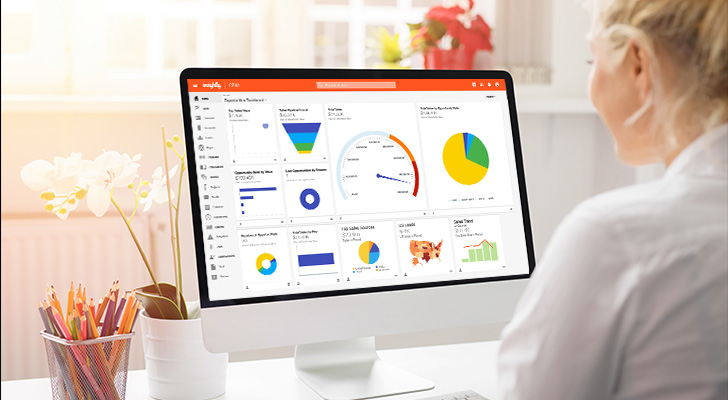
Real-time visibility into sales funnel health, conversion rates, and rep activity keeps everyone aligned—without requiring anyone to dig through records or run manual exports.
The best CRM dashboards surface what matters without overwhelming users. That means showing leading indicators (meetings booked, proposals sent) alongside outcomes (deals closed, revenue recognized), so reps and managers can course-correct before it’s too late.
Align sales and marketing on a single platform
When sales and marketing work from separate systems, leads fall through cracks and data conflicts pile up. Aligning both teams on a single platform creates a multiplier effect on ROI.
Cleaner data is just the start. You also eliminate the handoff friction that quietly erodes results. Marketing sees which campaigns actually generate revenue across the entire customer lifecycle. Sales sees the full nurture history before the first call. Both teams work from the same customer record instead of arguing about whose numbers are right.
A unified CRM and marketing automation setup turns two separate datasets into one source of truth.
How to use customer relationship data to surface hidden revenue
Your CRM holds more than contact records and deal stages—it maps every customer interaction and how people and companies connect.
That’s where hidden revenue lives.
Most CRMs track contacts and companies as separate records. The real value comes from linking them, so you can:
- Seeing which contacts influence which deals
- How companies in your pipeline relate to each other
- Which existing customers can open doors to new ones
That’s the context most CRMs don’t surface.
Here’s a simple example:
A champion at one of your accounts leaves for a new company. In a basic CRM, you might not notice—or you’d lose that relationship entirely. In a CRM that tracks relationship links, you see the move, keep the connection, and now have a warm intro to a brand new account.
That’s revenue you’d otherwise miss.
The same logic applies to upsells and cross-sells. When you can see how contacts, companies, and past deals connect, patterns emerge:
- Which accounts have expanded before
- Which contacts bring you into new departments
- Which industries cluster together in your customer base
Use that data to build customer journeys that surface the next opportunity instead of waiting for it to find you.
How to see faster returns on your CRM investment
The part most ROI conversations and articles tend to skip?
Time-to-ROI matters just as much as total ROI.
Waiting 12+ months to see whether your investment is paying off creates unnecessary risk—and delays the compounding benefits that make CRM valuable in the first place. Enterprise CRMs often come with multi-month implementations, expensive consultants, and system integrator dependencies that push your break-even point further out.
Every week spent in implementation is a week you’re paying for software that isn’t delivering returns yet.
A CRM built for faster deployment changes the math.
No-code customization means your team can configure workflows without IT bottlenecks, and simpler onboarding means faster adoption.
That’s where Insightly comes in.
Independent research found Insightly users reached positive ROI in significantly less time than users of enterprise alternatives.
With Insightly, you can:
- Configure custom objects and fields without code or consultants
- Map your sales process to customizable pipeline stages
- Connect email, calendar, and marketing automation on a single platform
- Build dashboards that give your team real-time visibility into performance
Ready to see the difference?
Request a demo or start a free 14-day trial to explore the platform yourself.
Frequently asked questions about CRM ROI
Still weighing whether a CRM investment makes sense? These are the questions we hear most often.
What ROI should you expect from a CRM?
Industry benchmarks vary, but recent research puts the average return at $3.10 for every dollar spent on CRM—though that number fluctuates based on how well the implementation goes.
Your actual results depend on factors like user adoption, data quality, and how well the CRM fits your sales process. Companies with strong adoption and clear goals tend to land on the higher end of that range.
How long until you see returns from a CRM investment?
Most businesses see measurable ROI within 6 to 12 months, though simpler implementations can show value faster.
The payback period depends heavily on implementation complexity. Enterprise CRMs with lengthy deployments take longer to break even than platforms designed for faster setup. Strong onboarding and early adoption shorten the timeline significantly.
What’s the biggest factor in CRM ROI?
The biggest factor in driving positive ROI from your CRM is user adoption.
Full stop.
A CRM only delivers value when your team actually uses it consistently. The best features in the world don’t matter if reps bypass the system or enter incomplete data. Choose a CRM that’s intuitive enough that your team will use it without constant enforcement.