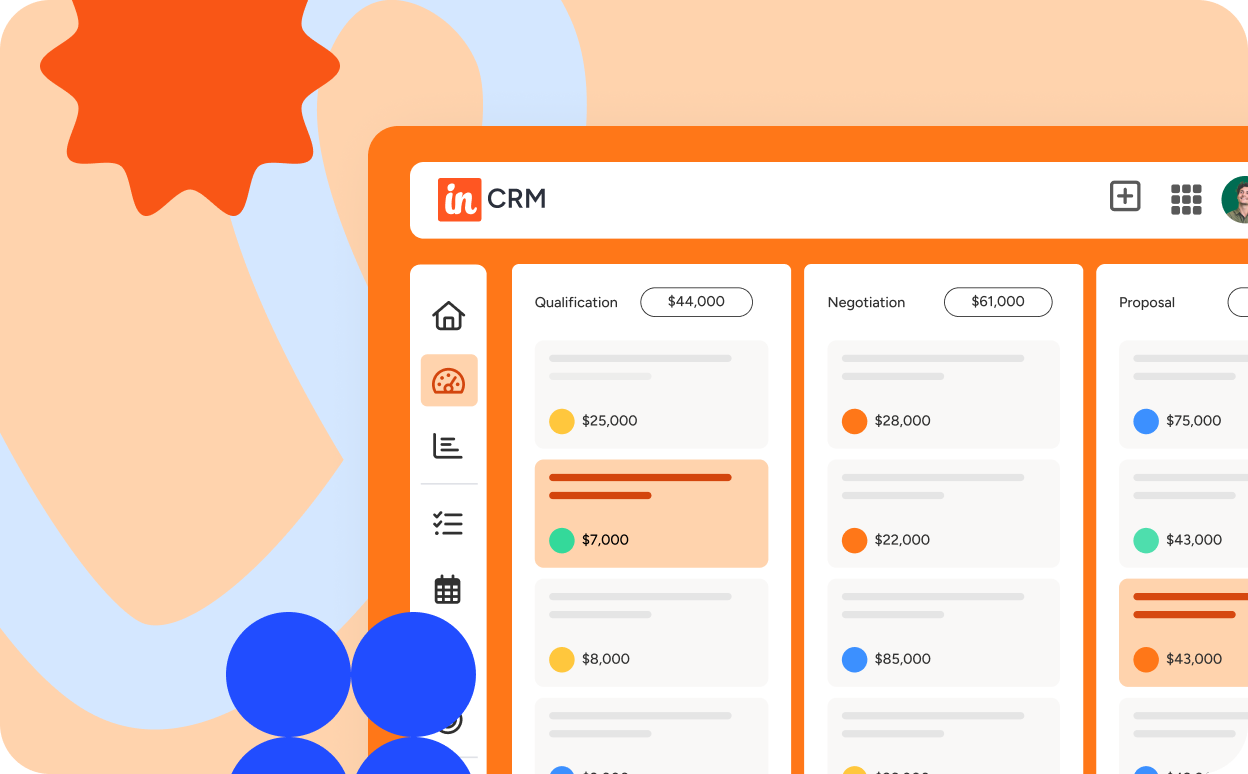
The 11 best Insightly integrations for a connected CRM (2026)
A CRM that lives in isolation is a CRM that’s working against you.
In 2026, the most productive sales and ops teams run their customer relationship management workflows through a connected stack, where every tool feeds data back into one central record. That means your email, your calendar, your project management tools, and your finance software all talking to each other through your CRM.
Integrations are what make a modern CRM genuinely useful.
They improve data quality, cut down on manual entry, personalize customer interactions, and give your team the context they need to make better decisions. And with Insightly Copilot now layering conversational AI on top of your CRM data, you can act on the information your integrations bring in just by asking a question.
Here’s a look at the top Insightly integrations, what they do, and how they fit into your stack.

TABLE OF CONTENTS
SHARE


INSIGHTLY TEAM
» More blog posts by INSIGHTLY TEAM
Key takeaways
- Insightly integrations help turn your CRM into the hub of your stack, with email, calendar, project management, finance, sales, and support tools feeding customer data back into one central record
- AppConnect gives teams a no-code way to connect more tools, with 2,000+ pre-built app connectors and workflows that do not require servers or IT involvement
- Unbounce landing page leads can flow directly into Insightly CRM through a native integration or through AppConnect, giving sales faster access to new campaign leads
- Tools like Asana, DocuSign, Slack, PandaDoc, and QuickBooks help sales, delivery, and finance work from the same customer context
- Once your tools feed the CRM, Insightly Copilot helps you pull summaries, manage records, and act on that information through plain-language prompts
What are the benefits of integrating with Insightly CRM?
Integrating the tools you already use with Insightly CRM changes how you manage customer relationships, data, and business processes. It leads to greater efficiency, deeper insights, and a better ability to meet the evolving needs of your customers. Some key advantages include:
- Efficient workflows: Integrations automate repetitive tasks, saving time and reducing human errors—allowing your team to focus on high-value activities like closing deals
- Stronger collaboration: Integration with collaboration tools ensures that your team stays on the same page and can easily share critical information
- Improved customer insights: Integrating analytics and reporting tools with Insightly provides valuable insights into customer behavior, helping you make data-driven decisions
- Data accessibility: Integrations let data flow freely between Insightly CRM and other tools, ensuring everyone can access up-to-date information
- Scalability: Integrations can change and expand as your business grows, accommodating your evolving needs
Why the Insightly platform is built for integrations
Insightly CRM is a mid-market CRM built on a shared database, designed to put customer relationship management at the center of your operations. Every module, from sales to project and task management, runs on the same data. That means when you connect an outside tool through AppConnect (a no-code integration layer with 2,000+ apps), everything feeds into one CRM record, giving your team a complete view of every customer relationship.
The CRM system connects to the apps you use every day for tracking customer interactions across email, calendars, project management, finance, and sales and support tools. Your customer data stays centralized, your workflows stay consistent, and your customer relationships get the context they deserve.
Insightly Copilot adds a conversational AI layer on top of all this. You can manage CRM records, draft email replies, and pull deal summaries using plain-language commands. Automation handles the repetitive work, and Copilot handles the questions.
When your CRM connects to every tool your team uses, and an AI layer helps you act on what it finds, you stop chasing data and start using it.
Seamless integration automation with Insightly AppConnect
Insightly’s no-code integration builder, AppConnect, connects Insightly CRM with the rest of your business applications. That includes tools for email, marketing automation, finance, project management, and customer support. You can use AppConnect to create workflows that span your entire operation, with no servers or IT involvement required.
What does that look like in practice?
With 2,000+ pre-built app connectors and a drag-and-drop integration design tool, anyone on your team can build out sophisticated integrations and workflows without writing a line of code.
Use the map fields feature to connect your data sources, then transform and manipulate data to match the format each app expects. From there, deploy, schedule and trigger integrations in seconds.
AppConnect also handles error logging, built-in versioning, and instant provisioning—so you can create workflows across IT, marketing, HR, finance, and sales departments with confidence.
That adds up.
Say your ops team needs a closed-won deal in the CRM to create a project in Asana and an invoice in QuickBooks, all without anyone copying data between tabs. You can automate sales workflows like that, and hundreds of pre-built app connectors give you a head start.
Need to trigger integrations across marketing, HR, finance, and sales? Build it once, schedule it, and let it run.
Connect Insightly to your tech stack with these top integrations
Here are the top CRM integrations Insightly users rely on today. Each one connects to AppConnect and slots into a specific part of your workflow, from project management to contract signing to financial reporting.
1. Insightly and Unbounce integration
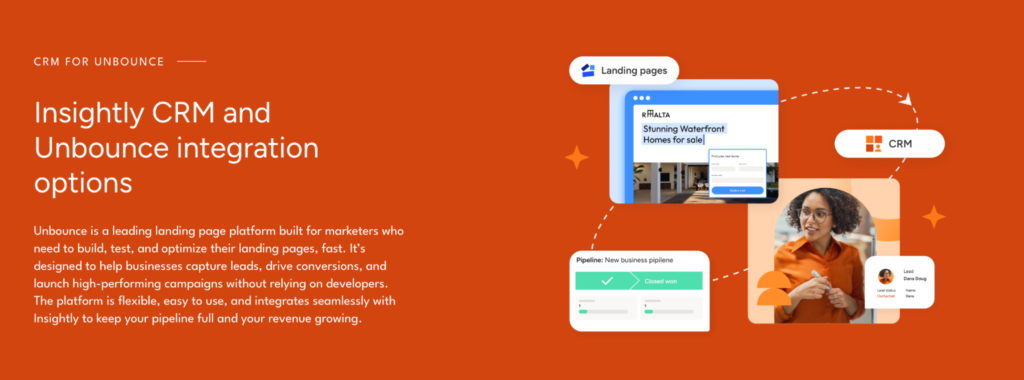
For teams using Unbounce landing pages, the Insightly + Unbounce integration connects campaign conversion directly to your CRM. Leads can move into Insightly as leads or contacts while interest is still fresh, instead of sitting in a landing page tool until someone exports or routes them manually.
There are two ways to connect the tools:
- You can use the native integration inside Unbounce.
- You can build the workflow through AppConnect when you need more control over routing, fields, or follow-up steps.
That direct handoff is especially useful for teams running paid search, email, or campaign-specific offers, where speed to lead and campaign context both matter.
Your Unbounce landing pages capture demand, Insightly CRM gives sales the record, and Insightly Marketing can keep the follow-up moving after the first conversion. With campaign and source data flowing into the CRM, your team gets a cleaner view of which campaigns are creating pipeline and where follow-up needs to happen next.
The native Unbounce integration is built for that same handoff, sending landing page leads to the sales team quickly with campaign visibility and faster sales response built into the connection.
2. Insightly and Asana integration
Asana excels in helping teams plan, organize, and track their work, and when paired with Insightly, it brings a newfound level of structure and collaboration to your project management efforts. The Insightly + Asana integration offers a seamless way to link customer data to project tasks. It ensures that sales, marketing, and project teams are aligned, improving efficiency and customer satisfaction.
Insightly’s capability to automatically generate tasks in Asana in response to specific CRM activities is a standout feature of this integration. For example, creating a new lead or opportunity in Insightly can trigger the creation of a corresponding task in Asana.
This connection allows for the effortless assignment of tasks to team members, tracks project milestones and progress, and links vital project-related information back to relevant CRM records in Insightly. Project timelines and customer interactions stay tightly aligned.
Team members can access up-to-date information on customer interactions and project status, helping them respond more effectively to customer needs.

3. Insightly and DocuSign integration
For businesses aiming to simplify their operations and improve contract management, the Insightly + DocuSign integration is a major upgrade. More than just a tool for electronic signatures, it’s a comprehensive solution that tightens your contract management workflow, ensuring efficiency, speed, and an improved experience for your team and your clients.
This powerful combination allows you to dispatch contracts, agreements, and various documents for electronic signature straight from the Insightly platform. With DocuSign’s capabilities, you benefit from real-time tracking and automated reminders, ensuring that every signature is accounted for promptly. Once documents are signed, they are automatically linked and stored with the corresponding records in your CRM. This seamless process saves time and brings a new level of organization and efficiency to document management.
4. Insightly and Gmail integration
If you’re searching for a CRM that works seamlessly with Gmail, Insightly has you covered. It integrates effortlessly with the tools you already use, allowing you to concentrate on your business rather than juggling technology. The Insightly + Gmail integration helps you unearth and use crucial customer information hidden in your conversations. You can track relationships directly from your inbox, create new contacts without switching tabs, and keep your customer data inside your CRM, where it belongs.
Bonus! The Insightly Sidebar, a Chrome browser extension, provides convenient access to your Insightly CRM directly from your Gmail inbox, ensuring that all customer interactions are tracked and simplifying email management for sales and support teams.
In addition to being available as an AppConnect integration, several Google apps integrate natively with Insightly.
5. Insightly and Salesloft integration
If your goal is sales efficiency and better lead management, the Insightly + Salesloft integration could be the missing piece to your sales strategy. This integration can improve your sales efforts by helping your team personalize outreach, make data-driven decisions, and close deals faster. You can monitor your sales pipeline from first touch to closed-won and track relationships across every stage of the buyer journey.
Integrating with Insightly gives you a comprehensive view of each customer journey. Your sales team can craft more personalized and impactful pitches, follow up with leads at the right time, and close deals more effectively.
This integration goes beyond data syncing. It helps your team automate sales-related tasks, reducing manual data entry and time spent on routine activities. Track email interactions directly within the CRM and your team gets real insight into how prospects are engaging, making it easier to tailor follow-ups and prioritize the leads that are actually moving.
6. Insightly and Calendly integration
Efficient appointment scheduling is crucial across various industries. Whether it’s healthcare businesses that depend on patient consultations, professional service providers managing client meetings, or sales organizations using demos as a sales tool, the Insightly + Calendly integration offers a solution that simplifies this process.
Calendly, known for its user-friendly appointment scheduling capabilities, allows for easy organization of meetings and appointments. Integrating Calendly with Insightly means scheduling and tracking customer interactions are seamlessly coordinated.
Once integrated, when you schedule meetings with new prospects using Calendly, Insightly can create a new lead, contact, or opportunity record effortlessly. If the prospect is already in your system, the scheduled event will be conveniently added to their existing record. It simplifies the scheduling process and strengthens the overall management of customer relationships, leading to better service, improved efficiency, and higher conversion rates.
7. Insightly and Outlook integration
Centralize customer communication and simplify access to CRM data from the email application you know and love. The Insightly + Outlook integration is designed to improve email tracking, calendar synchronization, and communication management, all within the familiar interface of Outlook.
This integration automatically records and tracks all email correspondence within Insightly CRM. Every email sent or received through Outlook can be instantly logged in Insightly, allowing for a comprehensive view of customer interactions and ensuring no missed communication detail.
The integration also offers a two-way sync between Insightly and Outlook calendars. Any appointments, meetings, or events scheduled in Outlook are reflected in Insightly and vice versa, keeping a unified schedule across both platforms.
Most importantly, this integration allows you to easily access and manage CRM data and records without leaving your Outlook interface. This capability makes it more convenient to view customer information, update records, and manage tasks directly from your email application, keeping your workflow tight and saving valuable time.
8. Insightly and Slack integration
Slack reshapes organizational communication by making interactions faster and more focused. Bridge the gap between sales and marketing teams with the Insightly + Slack integration and foster a unified approach. Ensure your team stays connected and can easily share critical CRM-related updates and information.
With the Insightly and Slack integration, sharing crucial CRM information within Slack becomes seamless. Whether it’s celebrating successful closed/won deals with automatic alerts or informing managers about significant pipeline milestones, this integration supports the customization and automation of various notifications.
You can also initiate conversations directly from Insightly—creating new Slack channels, with names you choose, straight from the CRM. Need a bit more privacy? You also have the option to set up private channels that are accessible only to specified users.
Together, the two platforms create a more cohesive team environment.
9. Insightly and ZoomInfo integration
If your business relies on accurate and current contact information for lead generation and sales outreach, the Insightly + ZoomInfo integration is an extremely valuable resource. Enrich your CRM data with accurate and up-to-date business contact information and maintain a high-quality database.
The ZoomInfo integration automates updating CRM records, eliminating repetitive manual tasks and ensuring uniformity across your database. Any updates to the company or contact information in ZoomInfo will automatically synchronize with Insightly, providing your team with the most current and accurate overview of your business opportunities. Use ZoomInfo’s extensive B2B database to augment your customer data and increase the effectiveness of your sales efforts.
10. Insightly and PandaDoc integration
PandaDoc is a document automation platform that simplifies document creation, tracking, and e-signatures. Integrating with Insightly CRM helps you organize projects and task management around your document workflow, ensuring accuracy, consistency, and a faster e-signature process.
Generate sales proposals, quotes, and contracts within PandaDoc directly from Insightly CRM data with the Insightly + PandaDoc integration. This connection allows one-click data transfer, automatically filling PandaDoc documents with contact and field data from Insightly.
The integration also brings the convenience of integrated e-signatures, speeding up the deal closure process. Your sales team can send documents effortlessly from any device—equipped with secure, legally binding e-signatures for both sales reps and prospects.
In addition to being available as an AppConnect integration, PandaDoc also integrates natively with Insightly.
11. Insightly and QuickBooks integration
Integrating QuickBooks with a CRM system creates a connected financial and customer relationship management workflow. With multiple ways to integrate with QuickBooks, it’s no surprise that one of the best CRMs for QuickBooks is Insightly.
Connecting QuickBooks to your Insightly account gives your team visibility into financial information directly within the CRM environment. The Insightly + QuickBooks integration allows importing contacts, organizations, and opportunities into Insightly, creating a comprehensive view of customer interactions alongside their financial transactions. You can also sync calendar events and key dates between systems so nothing falls through the cracks. This integration improves the efficiency of managing client relationships by providing easy access to critical financial data and improving overall customer management and service.
In addition to being available as an AppConnect integration, QuickBooks also integrates natively with Insightly.
Make Insightly the hub of your stack
A CRM that doesn’t talk to your other tools is just an expensive contact list.
Your CRM should connect your tools, your teams, and the data that ties them together. That’s what Insightly’s integration ecosystem does, and with AI Copilot now built in, you can interact with all of it through plain-language conversation.
Insightly connects your tools, your teams, and now your AI, all routed through one CRM record.
Integrating with Insightly strengthens your CRM strategy, gives you better visibility into customer relationships, and sets your business up for what’s next. Email, calendar, project management, financial software, all connected without the complexity.
Connect your tools with the modern CRM teams love. Get started with a free trial of Insightly CRM, watch a demo on demand, or request a personalized demo to see how you can integrate your tech stack with Insightly.
Frequently asked questions about Insightly integrations
The integration list above covers the tools most teams ask about first. These answers cover the next layer, from broader AppConnect coverage to how those connections work once leads and customer data start moving.